
I offer HIPAA compliant online video therapy! For instructions on navigating the Zoom platform, see below.
*The following information is available via Zoom support. *
How do I join a Zoom meeting?
- You can join a meeting by clicking the meeting link or going to https://zoom.us/join and entering in the meeting ID. You may also be prompted for a meeting passcode, so keep the meeting invite information available. Click here to learn more about joining meetings. You can also join a test meeting to familiarize yourself with Zoom.


- About 10 minutes before your appointment, you'll receive an email appointment reminder with the link to join your call. Please note that the link to join the Telehealth call will only be in your email reminder and not in your text reminder. If you're set up to receive text reminders, the exact time you receive your text reminder may vary based on your cell phone carrier.
Note: If you have already consented to receiving text and/or email reminders, you will continue to receive them for Telehealth appointments as well. If you're a new client, make sure that you've provided your email and or mobile phone number so that I can enable email or text appointment reminders for you.
- Click the unique link embedded in the email reminder. You may have to copy and paste the link into your web browser if clicking the link does not work. You can also join a meeting going to https://zoom.us/join and entering in the meeting ID and passcode from your email invitation. Your video call screen will now open in a new tab.
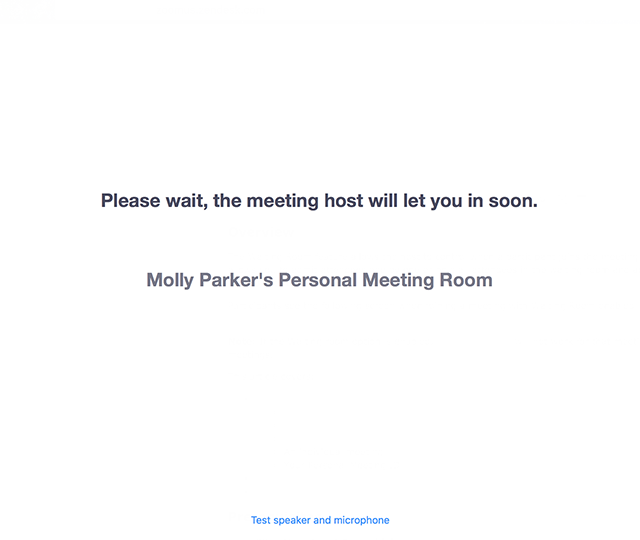
- If you receive the message "Please wait for the host to start this meeting, you have successfully connected to the meeting. You are waiting for the host to start this meeting. The session will start as soon as the host starts the session.
Using annotation tools on a shared screen or whiteboard
I often like to use annotation and whiteboard in session. Below is a link to the directions for using the tools on different devices. Please familiarize yourself with the instructions for the tools based on your device. For additional information, follow this link: Using Annotation Tools in session
Additional Online Therapy Resources
7 Tips for Making the Most of Online Therapy During the COVID-19 Outbreak
9 Ways to Create a Private Space for Tele-therapy
If You’re Worried About Housemates Listening In on Your Virtual Therapy Sessions, Read This